Support intake
Capture the affected service and caller-reported impact.
Capture technical requests without losing business context.
An AI voice assistant for IT service companies can organise sales enquiries, classify support requests and prepare engineer callbacks. Separate initial information gathering from diagnosis and privileged system actions.
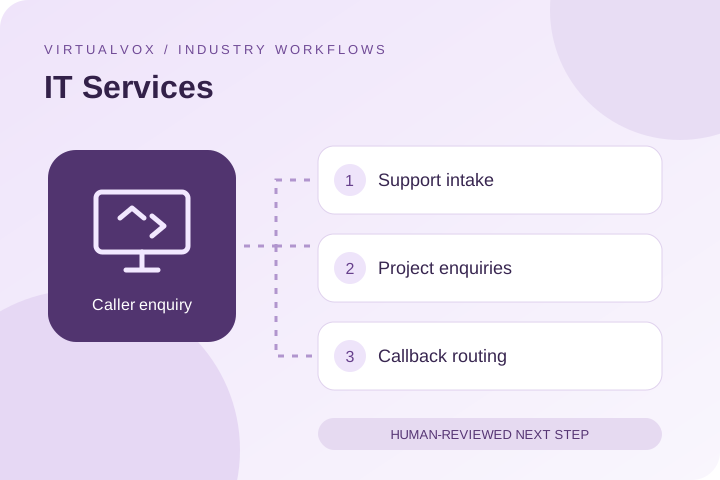
A request to “fix the system” rarely tells an engineer enough. Capturing the affected service, business impact and contact person helps the service desk decide who should respond.
Capture the affected service and caller-reported impact.
Collect the business objective and current environment at a general level.
Assign the request to sales, service desk or an agreed escalation queue.
This is a proposed script, not a customer recording or a claim that the workflow is already connected. Test interruptions, incomplete answers and requests for a person in your pilot.
CallerOur team cannot access the shared application.
AssistantWhich application is affected, and is it impacting one person or several team members?
Next step: Pass the issue summary and stated impact to the service desk. Engineers validate severity and apply the agreed support process.Ticketing platform, service catalogue and escalation directory may be part of your proposed setup. Confirm supported connections, permissions and an approved source of answers with the team. When access fails, collect a request instead of inventing an answer.
Pass the issue summary and stated impact to the service desk. Engineers validate severity and apply the agreed support process.
Agree on callback ownership and timing. Confirm live-transfer support for your chosen phone setup separately.
Record a baseline, choose a bounded pilot and have your team review a sample of conversations. Separate requests from confirmed outcomes and record errors alongside successes.
Use the pilot checklist →This workflow focuses on intake and routing. Any diagnostic or system action would require separately verified access, scope and testing; it should not be assumed from a voice demo.
Share your ticketing platform, service catalogue and escalation directory during discovery. Supported access, data fields and failure handling need to be confirmed and tested. The browser demo does not establish that these integrations are available.
Share the languages, accents and mixed-language conversations your callers use. Ask for a demonstration of those exact scenarios before rollout; this website does not publish a verified language coverage list.
Start with expected connected call minutes and a defined call type. Request a deployment-specific quote. Confirm telephony, setup, taxes and integration costs in your quote, then measure cost per useful outcome.
Share call volume, language requirements, common enquiries and the next step your team wants to improve. We can discuss a pilot and the connections it would need.