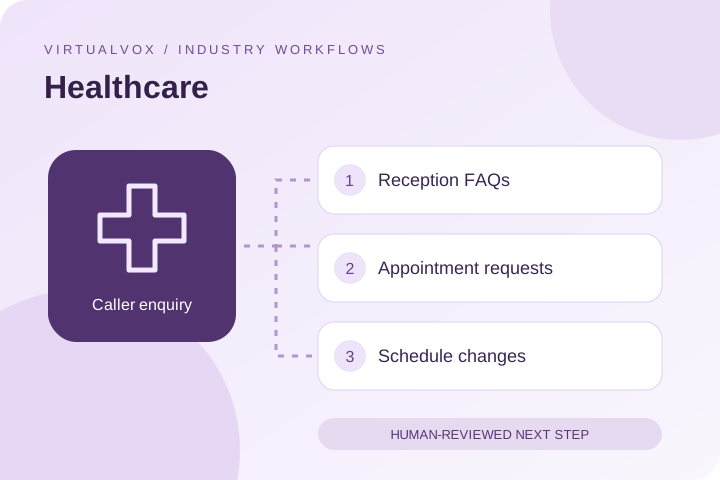
Reception FAQs
Explain approved clinic hours, locations and appointment procedures.
Support clinic reception with organised appointment requests.
An AI voice assistant for healthcare reception can help clinics handle opening-hour questions, department enquiries and appointment requests. Keep the scope administrative and route clinical questions to your care team.
Reception desks balance incoming calls with patients at the clinic. Routine location and scheduling questions can be organised separately from conversations that require clinical judgement.
Explain approved clinic hours, locations and appointment procedures.
Collect the requested department, location and preferred time.
Capture cancellation or rescheduling requests for confirmation.
This is a proposed script, not a customer recording or a claim that the workflow is already connected. Test interruptions, incomplete answers and requests for a person in your pilot.
CallerCan I request a dermatology appointment on Friday?
AssistantWhich clinic location do you prefer? The reception team will need to confirm availability.
Next step: Send administrative requests to reception and route medical questions to authorised clinical staff. Use a clinic-approved escalation script.Clinic calendar, approved reception FAQs and access-controlled patient workflows may be part of your proposed setup. Confirm supported connections, permissions and an approved source of answers with the team. When access fails, collect a request instead of inventing an answer.
Send administrative requests to reception and route medical questions to authorised clinical staff. Use a clinic-approved escalation script.
Agree on callback ownership and timing. Confirm live-transfer support for your chosen phone setup separately.
Record a baseline, choose a bounded pilot and have your team review a sample of conversations. Separate requests from confirmed outcomes and record errors alongside successes.
Use the pilot checklist →No. This page describes administrative reception workflows. Clinical questions and urgent concerns require your clinic’s approved human escalation process.
The workflow described here is for clinic administration. Clinical advice, diagnosis, treatment and emergency decisions remain outside its scope.
Do not assume access to a patient system. Confirm the specific connection, required permissions, data scope and contractual safeguards before sharing patient information with a deployment.
Share your clinic calendar, approved reception faqs and access-controlled patient workflows during discovery. Supported access, data fields and failure handling need to be confirmed and tested. The browser demo does not establish that these integrations are available.
Share the languages, accents and mixed-language conversations your callers use. Ask for a demonstration of those exact scenarios before rollout; this website does not publish a verified language coverage list.
Start with expected connected call minutes and a defined call type. Request a deployment-specific quote. Confirm telephony, setup, taxes and integration costs in your quote, then measure cost per useful outcome.
Share call volume, language requirements, common enquiries and the next step your team wants to improve. We can discuss a pilot and the connections it would need.